


Spider Solitaire Classic Games
4.92.02K Reviews
App Specs
- Version
- 5.4.0-26081263
- Updated On
- License
- Free
- Downloads
- 5,000,000+
- Developer
- Guru Puzzle Game
- Categories
- Card
- Platform
- Android, iOS
Screenshots
 Analysis by AppCompare
I usually turn to a card game when I want something quiet that I can pick up and put down without much ceremony. Spider Solitaire Classic Games fits that mood: it brings the familiar challenge of arranging cards into a mobile format, with enough choice to suit a casual round or a more deliberate session. My impression is that it works best when you want to focus on one small puzzle rather than chase a story, compete online, or keep up with a stream of new content.
When a round feels harder than it should
The first sticking point for a new player is often not the controls but the planning. Spider Solitaire can look like a simple matter of shifting cards into open spaces, yet a move that helps right now may block a useful sequence later. I try to look for ways to uncover face-down cards and keep columns flexible before building a long run. That small habit makes the game feel less like random shuffling and more like a series of choices I can learn from.
If a board seems stuck, I don’t assume the app has failed. I pause and scan each column, check whether a move can reveal a hidden card, and consider whether shifting a partial sequence would create room. The undo option is useful for testing a choice, but I treat it as a learning aid rather than a way to erase every imperfect decision. If I undo repeatedly, I can lose track of the plan I was trying to follow.
It also helps to set expectations: a thoughtful approach improves the quality of your decisions, but it doesn’t mean every deal will feel easy. I like Spider Solitaire precisely because it asks me to work with the layout in front of me. If you mainly want a game where every round is quick and reliably winnable, a simpler matching game may be a better fit.
A comfortable first session, with a few checks
Getting into the game is straightforward. The opening screen is uncluttered, and the tutorial covers the basic objective without making a newcomer sit through a long explanation. The app offers difficulty choices, so I’d suggest beginning at a comfortable level and learning how card sequences behave before raising the challenge. That makes it easier to notice which decisions are helping, rather than blaming a harder setup for every difficult board.
There are also settings for the visual presentation, including card designs, backgrounds, and animations. I prefer a clear card face and a restrained table appearance because they make suits and ranks easier to scan during a longer session. A decorative choice is only helpful if it keeps the cards legible on your screen, so I’d try a couple of looks and settle on the one that reduces squinting rather than the one that seems most elaborate.
When something feels off, I start with ordinary checks: make sure I have opened the intended game, look through the available settings, and give myself a moment to distinguish a missed tap from a rule I haven’t learned yet. The controls are based on moving cards by touch, so a hurried gesture can be less precise than a deliberate one. I slow down, select a clear sequence, and check where it will land before moving it.
Worth Reading Before You Choose

Baby Panda World Brings Quick Play to Modern Phones, but Its Game Library Feels Busy

ESPN’s Live Game View Makes Following Close Games Easier

QuizzLand Review: A Good Fit for Short Trivia Breaks, Not Every Player

Basketball Stars: Multiplayer Is Fast, but Can It Recover When Matches Go Wrong?

WEBTOON Turns Phone Updates Into a Better Reading Routine

Link to Windows Runs on Shared Habits, Not Social Feeds
Small habits that make the game easier to read
One practical workflow is to use a short session to learn the board rather than immediately trying to finish as fast as possible. I scan for face-down cards, note which columns have useful space, and then make a move that improves access instead of one that merely looks tidy. When I do uncover a card, I reassess the whole layout before continuing; the new option may change which column is worth keeping open.
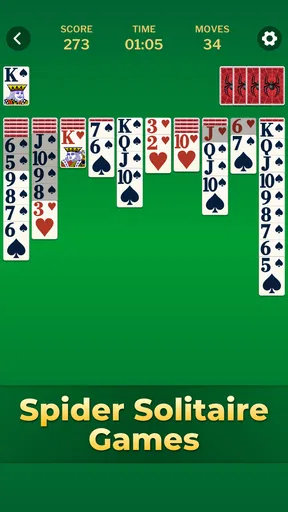
The statistics can give a personal record of wins, losses, and best times. I find them more useful as a way to spot my own habits than as a scoreboard. If I’m losing often, I can focus on a single adjustment—such as delaying a long sequence until it exposes more cards—rather than trying to change every part of my play at once. If I’m chasing a quicker time, I try not to let the clock push me into careless moves that leave fewer choices later.
Undo is another tool with a trade-off. It can show why a move created a dead end, which is valuable when I’m learning, but leaning on it after every uncertainty can make a round feel like trial and error. I get more from it when I use it to compare two plausible choices, then remember what the board taught me. That turns a correction into a small lesson instead of just a reset.
How it fits into everyday play
A realistic use for this game is a short break while waiting for an appointment or settling in after work. I can start a round, think through a few moves, and stop when I need to; the card puzzle doesn’t demand the kind of uninterrupted attention that a long narrative game often does. On a commute, I’d choose it only when I can comfortably look at the screen and interact, not when I need to watch my surroundings or keep my hands free.
It suits people who enjoy quiet problem-solving, familiar card rules, and gradual improvement. If you already like sorting and sequencing puzzles, the appeal is easy to understand: each useful move opens possibilities, while a careless one can narrow them. It is also a reasonable choice for someone who wants a solo game rather than a social or competitive experience. The age rating is Everyone, and the game is free to install, though in-app purchases are offered at $6.99 per item.
I would steer away from it if you want frequent new mechanics, a strong multiplayer focus, or a fast action loop. Spider Solitaire is intentionally repetitive in its basic activity: you work through card layouts. That repetition is comforting for me, but it may feel limited if you need a new objective every few minutes. Likewise, players who dislike planning several moves ahead may prefer a lighter card game with less consequence attached to each choice.
How it compares with other card-game choices
Compared with Klondike-style solitaire, Spider Solitaire puts more emphasis on building sequences across columns and managing the space those sequences occupy. I find it more absorbing when I want to study a board, but less suitable when I want a very quick, low-effort round. Compared with a multiplayer card game, it removes the pressure of waiting for opponents or measuring myself against them; the trade-off is that the challenge comes from my own decisions and the layout, not from another person’s play.
For a player choosing between several solitaire apps, the practical questions are whether the interface is comfortable, whether the available difficulty feels right, and whether the presentation can be adjusted to suit their eyes. This game’s customization and undo support make it approachable, while its familiar format keeps the focus on the puzzle. I wouldn’t choose it for elaborate progression or a changing collection of modes; I would choose it for a dependable solo card session.
The game is developed by Guru Puzzle Game. It was released on September 23, 2022, and the current version is 5.3.2-25122560, with Android 6.0 as the minimum operating-system requirement. Its average rating is 4.9 from around 114,000 ratings, and it has over 5 million installs. Those figures suggest that many people have tried it, but the more useful question for me is whether its simple, reflective pace matches what I want from a card game.
When a problem may be outside the game
Not every awkward moment is caused by the card puzzle itself. If a tap seems not to register, I first check whether I touched the intended card or sequence and try the move again at a calmer pace. If the display feels hard to read, I experiment with the card and background choices rather than assuming that I need to change how I play. These are simple checks, but they can separate a control or visibility issue from a strategic mistake.
If the game stops responding, a sensible first step is to leave the round and reopen the app, then check that the device has enough room to run its usual apps smoothly. I avoid making a string of rapid taps while waiting, since that can make it harder to tell whether the game has caught up. If a problem persists, restarting the device and checking for an available app update are ordinary troubleshooting steps worth trying. I would not treat a difficult deal or an unexpected move as proof that the game is broken.
One point worth keeping in mind is that this is a card game, not a tutorial in general strategy. The built-in explanation helps with the rules, while better judgement comes from noticing what each move does to the columns. When I’m tired or distracted, I make more impulsive choices, so I switch to a shorter session rather than trying to force a perfect result. That makes the game more relaxing and keeps a casual break from turning into a frustrating test.
My practical verdict
Spider Solitaire Classic Games is a good match for anyone who wants a familiar solo card puzzle with a clean presentation, adjustable visuals, and room to improve through practice. I especially like it for spare moments when I want to concentrate on one manageable problem without needing a group, a long play session, or a complicated setup. The undo feature and basic tutorial make the first steps less intimidating, while the strategic choices give returning players something to think about.
Its limits are part of the decision: the central activity stays focused on Spider Solitaire, and the game won’t satisfy someone looking for a constant supply of different modes or a social challenge. The free download is easy to try, but the available in-app purchases are worth remembering if you prefer to avoid optional spending. For me, it earns a place as a calm, repeatable card game rather than an all-purpose source of entertainment. If that is the kind of break you want, it is worth giving a round a try.
Getting Started with Spider Solitaire
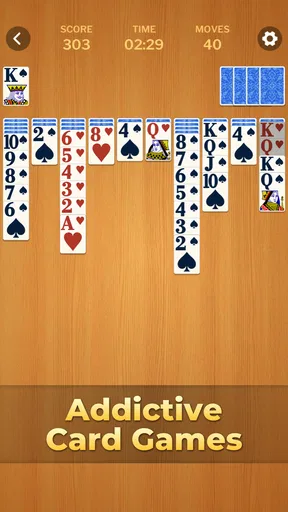
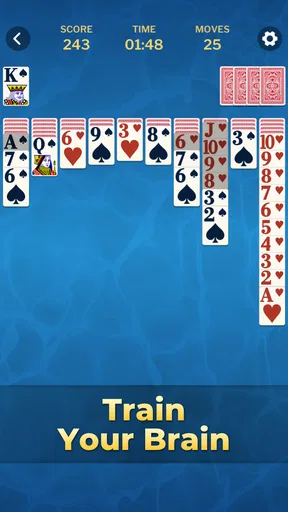
First off, if you’re new to Spider Solitaire, don’t worry. This app makes it super easy to get started. Once you open it up, you’re greeted with a clean and simple interface. No unnecessary frills to distract you from your main goal: conquering the deck. You can choose from various difficulty levels, which is perfect whether you’re a newbie or a seasoned pro.
The game provides a quick tutorial for beginners, which I found really helpful. It explains the basic rules and objectives clearly, ensuring you’re not left scratching your head. So, whether you want to dip your toes in slowly or dive right into the deep end, the app’s got you covered.
Features That Stand Out
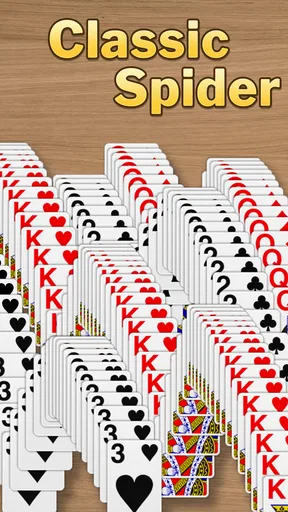
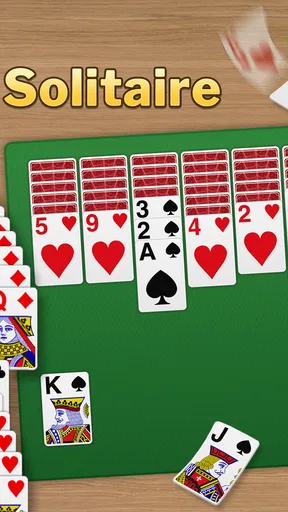
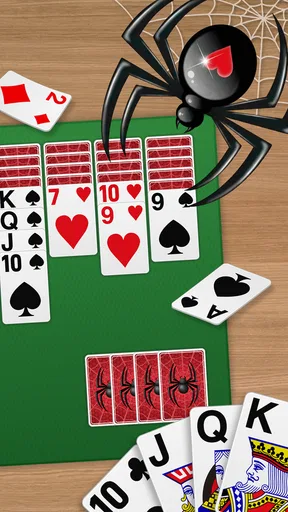
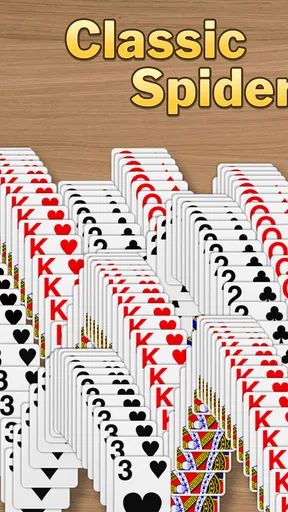
One of the things I appreciate the most about Spider Solitaire Classic Games is its customizable settings. You can change the card designs, backgrounds, and even the animations. It’s these little touches that make the game feel personal and engaging. I went for a more classic look with a green felt table and vintage card design, but the choices are all yours!
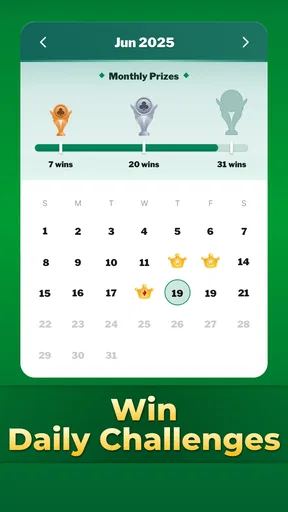
If you’re like me and enjoy tracking your progress, you’ll love the statistics feature. It keeps tabs on your games won, lost, and your best times. It’s a great way to challenge yourself and see your improvement over time. Plus, you can compete with friends or just aim to beat your own high score.
Gameplay Experience
The gameplay itself is smooth and intuitive. Dragging and dropping cards feels natural, and there’s an undo button for those "Oops!" moments. I’ve found that the touch controls are responsive, which is crucial for a game that relies heavily on precision.
What’s more, the app doesn’t bombard you with ads. This is a huge plus in my book. You get a seamless experience without interruptions, letting you focus entirely on your strategy and next move.
Why You Should Play
If you’re looking to sharpen your strategic thinking, Spider Solitaire Classic Games is a fantastic way to do it. It’s not just about moving cards around; it’s about planning your moves and thinking several steps ahead. It’s a game that stimulates your brain and offers a sense of accomplishment when you finally clear the board.
Moreover, it’s a great way to relax and unwind. There’s something incredibly satisfying about organizing chaos into order, and this app delivers that in spades. You can play it during your commute, while waiting for an appointment, or just to chill at home.
Final Thoughts
Overall, Spider Solitaire Classic Games is a must-have for any card game lover. It stays true to the classic game we all know and love, while offering just the right amount of customization and challenge. Whether you’re playing to improve your skills or simply to pass the time, this app is definitely worth a download. So, why not give it a shot and see how well you can untangle the web?
Pros
- Smooth and intuitive controls.
- Variety of difficulty levels.
- Minimal ads for free users.
- Offline play available.
- Customizable card designs.
Cons
- Limited hints in free version.
- Occasional lag on older devices.
- No multiplayer mode.
- Basic graphics may bore some.
- In-app purchases can be pricey.
FAQs for Spider Solitaire Classic Games
What features does Spider Solitaire Classic Games offer?
Spider Solitaire Classic Games offers a range of features to enhance your gaming experience. It includes multiple difficulty levels, customizable backgrounds, and card designs. The game also supports hints and undo options to help you refine your strategy. Additionally, it tracks your scores and progress, allowing you to compete against yourself and others.
Is Spider Solitaire Classic Games available offline?
Yes, Spider Solitaire Classic Games can be played offline. This makes it a perfect companion for situations where internet access is limited or unavailable. Whether you're commuting or simply want to enjoy a quiet moment away from online distractions, this game is ready to play whenever you are.
Are there any in-app purchases in Spider Solitaire Classic Games?
Spider Solitaire Classic Games typically offers a free version with optional in-app purchases. These purchases may include ad removal or additional themes and card designs. While the game is fully playable without spending money, these extras can enhance the gaming experience if you choose to invest.
How does Spider Solitaire Classic Games ensure user privacy?
Spider Solitaire Classic Games is committed to user privacy. It generally requires minimal permissions and does not collect personal information without consent. Always check the app's privacy policy to understand what data is collected and how it is used. This ensures transparency and security for all users.
Can I sync my progress across multiple devices?
Progress sync across devices depends on the game’s integration with cloud services. Some versions of Spider Solitaire Classic Games allow you to sign in with an account to save and sync progress. Check the app’s settings or description to confirm if this feature is available before downloading.


